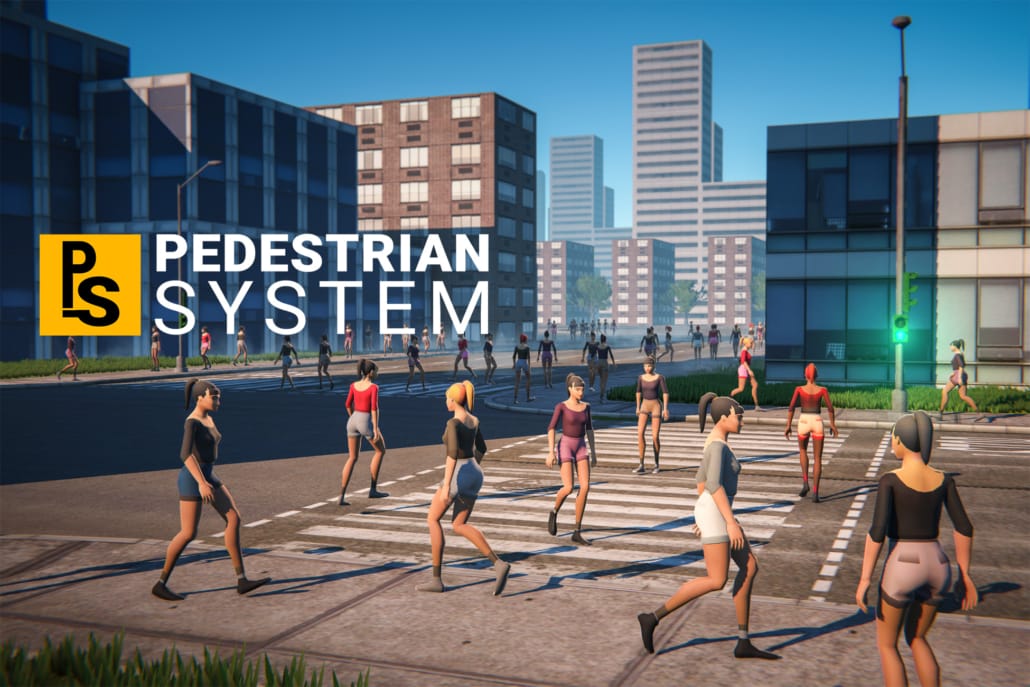
Mobile Pedestrian System — Unity pedestrian AI that knows about traffic
Root motion on any humanoid rig. No NavMesh. Complete C# source.

Root motion on any humanoid rig. No NavMesh. Complete C# source.
Mobile Pedestrian System fills your streets with people who walk the pavements, avoid each other and the scenery, wait at the kerb, and cross when the light says they can. It is a Unity pedestrian system built for cities rather than for stadium crowds — and it runs on phones.
It comes from the same workbench as Mobile Traffic System, which was nominated for Best Development Tool at the Unity Awards 2021, and the two are designed to share a street.
Most pedestrian and crowd assets move people from A to B. The interesting problem in a city is the twenty centimetres where the pavement stops.
This system handles crossings as a first-class thing. Pedestrians wait at the kerb, read the same traffic light the cars are reading, and step out when it changes — through an independent crossing component, so the crossing logic can be driven by Mobile Traffic System or wired to your own vehicle setup. Unsignalled crossings are supported too, for side streets and zebra crossings without lights.
The result is a street that reads as a street: cars stopping, people waiting, both moving again together, with nothing hand-scripted.
Drive into someone and they go down, then get back up. The knockdown and recovery behaviour works by default, with the animations included in the package — nothing to script. For a driving game it is the difference between pedestrians as scenery and pedestrians the player actually has to avoid.
All that you see in the demo is included inside the package:
About fifteen minutes the first time. The documentation covers each step properly; this is the shape of it.
Import into a Unity 2021.3 LTS or newer project. A complete demo scene is included, so you can press Play and watch a working pedestrian system before touching your own scene.
Mark the pavements and open areas people should use and let the editor tool build the waypoint grid over them. Unlike a lane network, this is a grid because pedestrians wander rather than commute.
Add crossing points where the pavement meets the road, and connect them to a traffic light if there is one. If you are also running Mobile Traffic System, they share the same lights automatically.
Drop your own humanoid prefabs into the pooling list with their Animators set to Apply Root Motion. Any humanoid rig works, so you can use characters and animation sets you already own.
Set how many pedestrians should exist around the player, and use pedestrian types to restrict who can walk where. Press Play.
Video walkthroughs are on the tutorials page.
Crowds are expensive for an obvious reason: every person is an animated skinned mesh. This system spends its budget where the player is looking — pedestrians are pooled and reused around the camera, so density near the player stays high while the total count stays low, and the per-agent work is Burst-compatible. It runs on any platform that supports the Burst compiler: Windows, macOS, Linux, Android and iOS.
Pedestrians are half of a living city. Mobile Traffic System supplies the other half — AI cars that overtake, obey the same traffic lights your pedestrians are reading, and run 300 of them on a phone. The two are independent packages that integrate directly.
If you want both, the Complete City Traffic & Pedestrian System bundles them for less than buying them separately, and includes an example scene with the two already working together.
No. Pedestrians walk a waypoint grid you generate over the walkable areas. There is nothing to bake and no NavMesh agent limit — which also means none of the usual friction between root motion and a NavMesh agent.
Yes, and that is the point. Movement uses Apply Root Motion from the character’s own Animator, so any humanoid rig and any humanoid animation set works. Characters you already own will drop straight in.
Yes. Crossings are handled by an independent crossing component that reads traffic lights — the same lights the vehicles read when you are running the traffic system, or your own if you wire it up. Unsignalled crossings are supported as well.
They go down, and then they get back up. The knockdown and recovery behaviour works out of the box and the animations ship with the package, so you get it without writing anything — and the event system lets you hook your own logic to it for scoring, damage or a wanted level.
Yes. The two packages are completely independent. Pedestrians work in a scene with no cars in it at all, and you can add traffic later without touching the pedestrian setup.
Yes. Pedestrians are pooled and reused around the player, so density near the camera is what costs you rather than the size of the city, and the per-agent work is Burst-compatible.
Density is a setting rather than a hard limit, and the real constraint is usually your character meshes and animations rather than the AI. Because of pooling, what matters is how many are visible at once, not how large your scene is. The PC demo is the fastest way to judge it.
Built-in, URP and HDRP. The AI is renderer-agnostic; only the demo materials are pipeline-specific.
Yes — pedestrian types can be restricted to specific areas, and priority waypoints let you bias where people prefer to go. Custom waypoint events let you trigger your own logic at any point on the grid.
Yes. Alongside the ambient wandering, you can give an individual pedestrian a path to follow — useful for a scripted walk, a patrol route, or an NPC who has to arrive somewhere at a particular moment.
Yes. Behaviour is exposed through delegates and events, and the complete commented C# source is included, so anything you cannot configure you can rewrite.
Not in the stadium-and-evacuation sense. This is built for street-level city pedestrians — people using pavements, obeying crossings and sharing a road with traffic. If you need tens of thousands of GPU-instanced bodies in an arena, a dedicated crowd renderer is the better tool.
Install and Test
Integration Tutorial
Custom Behaviours
Read the documentation · Watch the tutorial series · Add AI traffic · Get both in one bundle
Support is handled by the person who wrote the code — full written docs, a video tutorial series, and a Discord where you can ask directly.