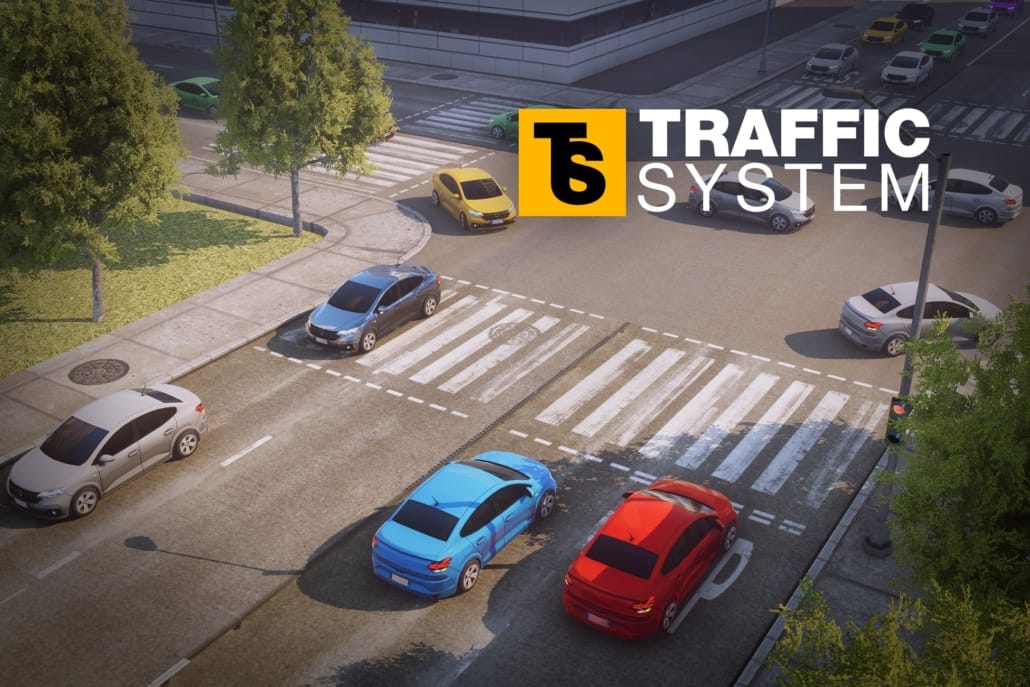
Mobile Traffic System — the Unity traffic system built for phones
300 AI cars on a phone. Waypoint pathfinding, no NavMesh, complete C# source.

300 AI cars on a phone. Waypoint pathfinding, no NavMesh, complete C# source.
Mobile Traffic System is a Unity traffic system that fills your roads with AI cars that overtake, change lanes, obey traffic lights, negotiate roundabouts and give way properly at junctions — without a NavMesh, and without a frame budget you can’t afford. It runs 300 AI cars on a phone. Everything about its design follows from that.
Nominated for Best Development Tool at the Unity Awards 2021, and rated 4.8/5 from 65 ratings on the Unity Asset Store — more reviews than any competing Unity traffic asset.
Most Unity traffic systems are written for desktop and then trimmed down for phones. This one went the other way, and 300 cars on a mobile device is the result rather than the marketing.
Vehicles are pooled and recycled around the player instead of instantiated across the whole map, so the cars you can see are the cars you pay for. The per-vehicle work runs on Unity’s Job System and is compiled with Burst, spreading a busy street across cores instead of stacking it on the main thread. Cars ship with LODs and there are hard-shadow options for low-end hardware.
The practical result is that density is a dial rather than a wall — and on desktop and console you spend the headroom on more traffic instead of on making it run at all. The Android demo is the fastest way to judge it on hardware you care about.
Cars drive a waypoint network you lay out in the editor, not a NavMesh. That is the decision everything else follows from:
All that you see in the demo is included inside the package:
If you need additional traffic cars this asset is the best option:
GRIDLOCK – City Traffic Vehicle Pack
Trucks available here
From a road mesh to moving cars is about twenty minutes the first time. The documentation covers each step properly; this is the shape of it.
Import into a Unity 2021.3 LTS or newer project. A complete demo scene is included, so you can press Play and watch a working Unity traffic system before touching your own scene.
Open the editor window and place waypoints along your roads. Each lane is its own chain — that is how the system knows where overtaking is legal and which side of the road a car belongs on.
Mark each junction as a traffic light intersection, a priority intersection, a roundabout, a give-way or a zipper merge. Light timings live on the intersection itself.
Assign your vehicle prefabs, set wheel counts and any car type restrictions, and let the system handle lights, blinkers and sound. Prefabs from most vehicle packs work with a small amount of setup.
Set how many cars should exist around the player and press Play. Density is the main performance dial — start conservative on a mobile target and raise it until the frame budget objects.
There are step-by-step video walkthroughs for all of this on the tutorials page.
This asset provides the AI, not the geometry. It is already compatible with EasyRoads3D, Cidy 3D and Road Constructor, and because the waypoint network is laid out independently of the mesh it works over generated roads, modelled roads or an imported city.
Driving and racing games, open-world and city games, delivery and simulation games — anything where the roads need to feel used rather than empty. It is the right choice when you are shipping to phones, because that is the budget it was written against, and it stays the right choice on desktop and console where the same design simply buys you more cars.
If you would rather build it yourself, that is a legitimate choice; the tutorial videos explain how the intersection and give-way logic works and they are free to watch either way. What tends to surprise people is the order of the work: getting cars to follow a road takes an afternoon, and intersection priority, clean overtaking and pooling that holds a frame rate take considerably longer.
If your scene needs people as well as cars, the Mobile Pedestrian System shares the same traffic lights and crossings, and the Complete City Traffic & Pedestrian System bundles both for less than buying them separately.
300 AI cars on a mobile device. Because vehicles are pooled around the player, the size of your city matters far less than how many cars are visible at once, and desktop and console have considerably more headroom. Your own figure will depend on prefab complexity — the Android and PC demos are the fastest way to judge it on your target hardware.
No. Cars drive a waypoint network you lay out yourself. There is nothing to bake and no NavMesh agent limit to work around.
Yes — that is the design brief, not an afterthought. Pooling, the Job System and Burst, LOD-ready vehicles and hard-shadow options all exist because the original budget was a phone frame.
Built-in, URP and HDRP. The AI is renderer-agnostic; only the demo materials are pipeline-specific, and converting them is a standard material upgrade.
Yes, articulated trailers are handled through turns and junctions. Wheel counts are configurable, so bikes, cars, buses and multi-axle trucks all work.
Yes. Assign your prefabs and configure the wheels; lights, blinkers and sound are driven by the system. The included car and the compatible vehicle packs are a starting point, not a requirement.
Both, switchable across the whole network.
Yes — a player component makes your vehicle visible to the traffic, so cars brake and give way for you. Emergency-vehicle behaviour is built in. Chase or pursuit AI isn’t included out of the box, but the API, waypoint queries and behaviour-override hooks are public and built for it.
Yes. It is already compatible with EasyRoads3D, Cidy 3D and Road Constructor, and the waypoint network is independent of the road mesh, so any geometry works.
Yes — the complete, commented C# source. You can read it, change it and extend it.
Yes. It has been maintained continuously since 2021 and updates ship regularly on the Asset Store.
Install and test
Prepare scene
Create basic road
Test traffic
Connect roads
Priority intersection
Traffic lights intersection
Narrow roads
Roundabout setup
Highway exit setup
Speed routes
Vehicle routes setup
Waypoint setup window
Car implementation
Traffic component & car pools
Scripting methods
Debug window
Custom Behaviours
Read the documentation · Watch the tutorial series · Add matching trucks · Add pedestrians
Support is handled by the person who wrote the code — full written docs, a video tutorial series, and a Discord where you can ask directly.