Unity Assets for City, Driving and Mobile Games

We build Unity assets for one specific problem: cities that look empty. Traffic that obeys the lights, pedestrians that wait to cross, and the vehicles that fill both. Those are the four packages below.

Underneath them is a longer list — the third-party assets we buy with our own money and use in our own projects and demo scenes. Nobody paid to be on it. It is here because the question we get most often is not “how does your traffic system work” but “what else do I need to build this city”, and this is the honest answer.

Some links on this page are affiliate links. If you buy through them, we earn a commission from Unity at no extra cost to you. It does not change what we recommend — everything listed here is something we bought ourselves.

Unity Asset Store Autumn Sale: 50% off 300+ top assets, ends October 7.
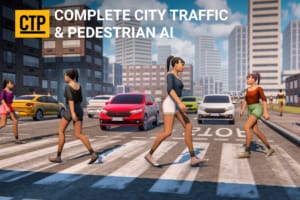
Unity traffic and pedestrian system — pedestrians crossing while cars wait at the line in a city scene

Urban System

Bring your city environment to life with realistic vehicle and pedestrian systems. Fully customizable and easy to set up. No coding required. Perfect for any driving scenario.
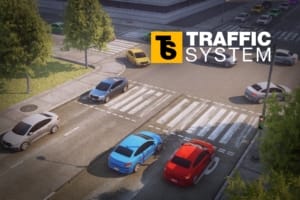
Unity traffic system: AI cars stopped at a red light on a city crossing, with more traffic queueing across the junction

Traffic System

Highly performant and easy to use traffic system that can make any driving game more fun to play in just a few clicks. No coding is required to set it up and detailed video tutorials are available.
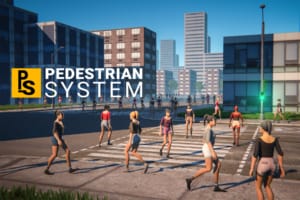
Unity pedestrian system: a crowd of AI pedestrians crossing a city street on a zebra crossing at a green pedestrian light

Pedestrian System

Create a realistic and vibrant urban environment with a customizable and dynamic Pedestrian System.
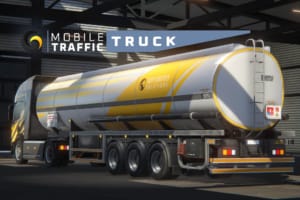
Mobile Traffic Truck — Unity low-poly semi truck with tanker trailer in Gley Logistics livery, parked in a hangar

Mobile Traffic Truck

Highly optimized, low-poly PBR pack containing a truck head, a tanker, a trailer, and a hangar garage.
Best Unity assets for building a city

A traffic system needs roads, and roads need a city around them. These are the assets we have actually built our own demo scenes with.

Fantastic City Generator is the fastest route from an empty scene to a laid-out city with a working road network, which makes it the natural first thing to reach for when you want somewhere to put traffic. EasyRoads3D Pro is the opposite approach and the long-standing standard for hand-built road networks — it is what you want when the junction layout matters and you would rather place every one yourself.

For the ground underneath: World Composer pulls real-world terrain and satellite imagery, which is the shortcut when your city has to sit somewhere real. Terrain To Mesh converts Unity terrain into meshes, and on mobile that is not a nice-to-have — terrain is one of the first things that stops a scene from running on a phone.

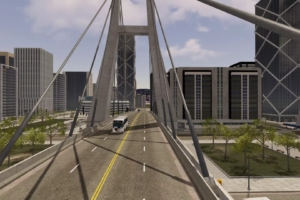
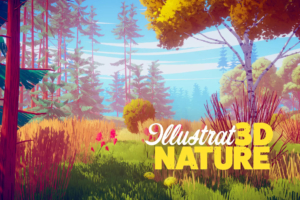
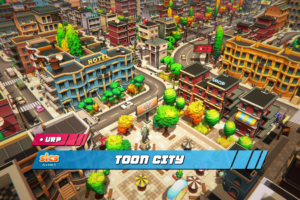
For look rather than layout, Toon City covers the stylised end of city building, and Illustrated 3D Nature is what we use for the green parts in the same register — trees and vegetation that sit next to stylised buildings without clashing.

The Illustrated Nature

Illustrated 3D Nature — stylised trees and vegetation for Unity

Toon City

Toon City — low-poly cartoon city environment for Unity

City Generator

Fantastic City Generator — procedural city building for Unity

World Composer

World Composer — real-world terrain and satellite imagery for Unity

Terrain To Mesh

Terrain To Mesh — convert Unity terrain into optimised meshes

Easy Roads 3D

EasyRoads3D Pro — road and street network builder for Unity

Best Unity vehicle assets for filling the roads

Traffic AI is only half of it. Something has to be driving, and it needs enough model variety that a queue of cars does not look like the same car repeated.

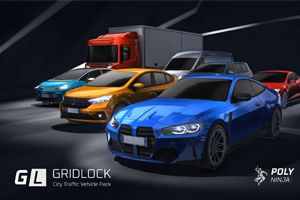
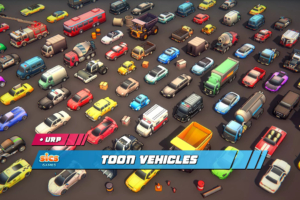
GRIDLOCK City Traffic Vehicle Pack is the one we use most. It is built for exactly this job, so the prefabs drop into a traffic system without rework — the lights and wheels are already where the system expects them. Toon Vehicles is the match for a stylised city, and pairs with Toon City above.

For trucks specifically, ours is Mobile Traffic Truck — a semi cab, tanker and flatbed built to the same one-click shape.

Gridlock – City Traffic

GRIDLOCK City Traffic Vehicle Pack — low-poly cars and trucks for Unity

Toon Vehicles

Toon Vehicles — cartoon-style car models for Unity

Unity assets worth having when you ship on mobile

Everything we make is written against a phone frame budget first. These three solve problems that only show up once you are actually on a device.

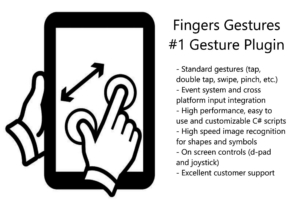
Nice Vibrations gives you haptics that behave the same on iOS and Android instead of two separate implementations to keep in sync. Fingers handles touch gestures properly — more work than it sounds like, as anyone who has tried to support pinch and pan at the same time will tell you. Anti-Cheat Toolkit protects saved values and in-memory state, which starts to matter the moment your game has anything worth cheating for.

Nice Vibrations

Nice Vibrations — haptic feedback for mobile and gamepads in Unity

Touch Gestures

Fingers — touch gesture recognition for Unity

Anti Cheat Toolkit

Anti-Cheat Toolkit — memory and save protection for Unity games

Unity editor tools worth the money

Tools that change how the day goes rather than what ends up in the build.

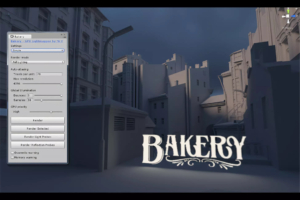
Bakery bakes lightmaps on the GPU and turns an overnight bake into a coffee break, which changes how often you are willing to iterate on lighting at all. Mesh Baker combines meshes and materials, and on a busy city scene that is frequently the difference between running on a mid-range phone and not.

Amplify Shader Editor covers shaders without writing them by hand. Playmaker is the long-standing visual scripting option, and worth knowing even if you write C# — a good share of the people using our assets are driving them from Playmaker, so we keep it installed.

Playmaker

Playmaker — visual scripting for Unity

Amplify Shader Editor

Amplify Shader Editor — node-based shader authoring for Unity

GPU Lightmapper

Bakery — GPU lightmapper for Unity

Mesh Baker

Mesh Baker — mesh and material combining for Unity

Want to get in touch?